Getting Started with DBeaver
Installation Guide
This is a portable version — simply extract it to the specified directory and launch it.
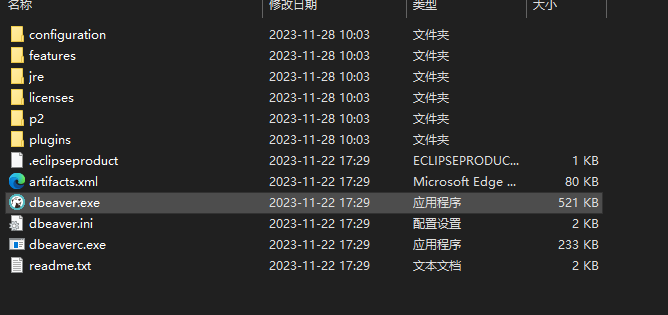
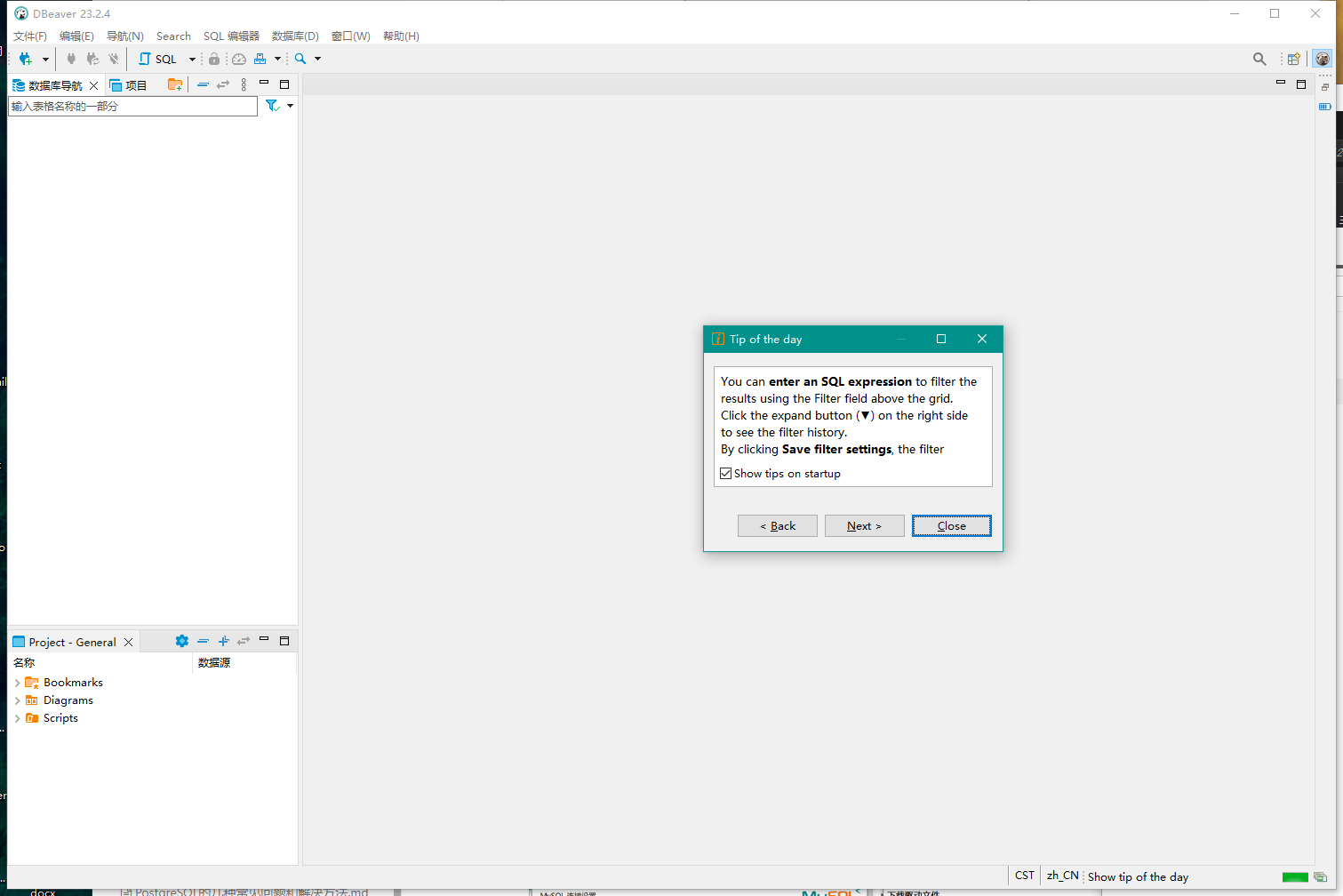
Run dbeaver.exe to launch the application.
Usage Guide
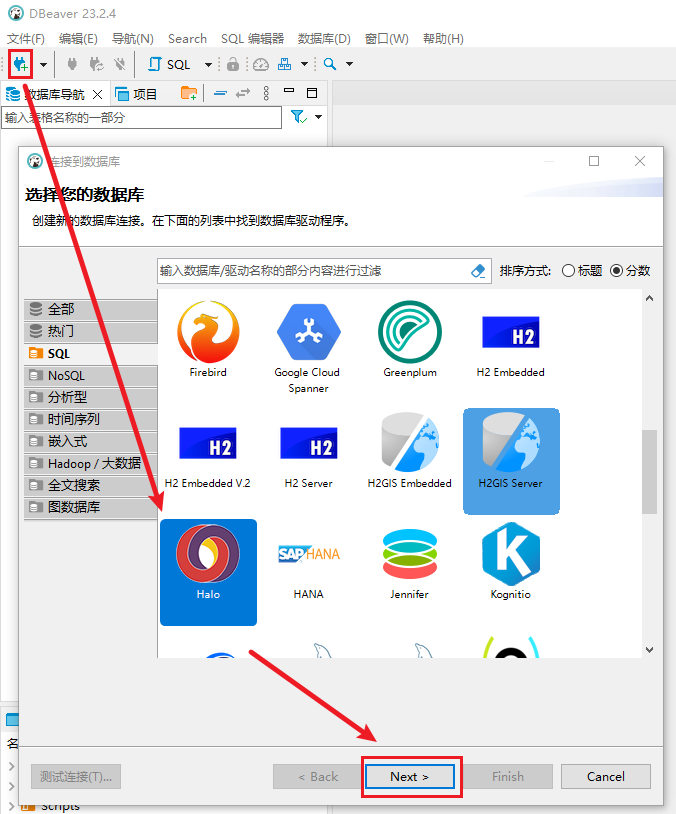
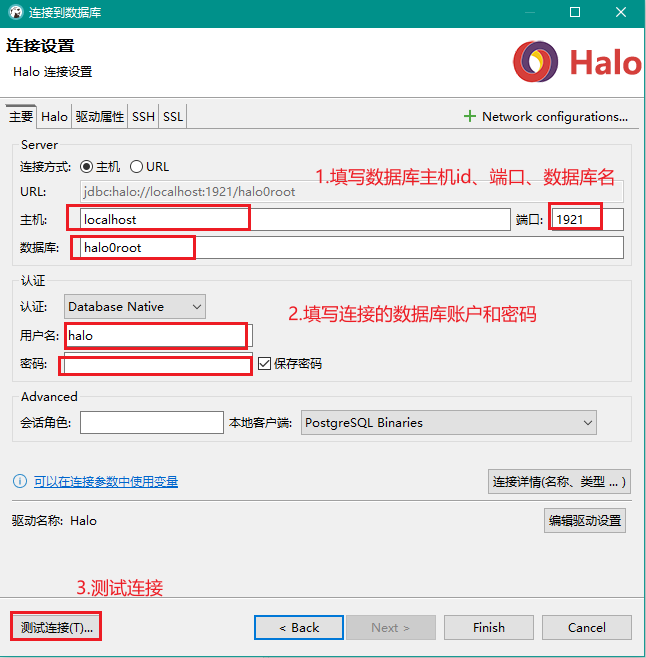
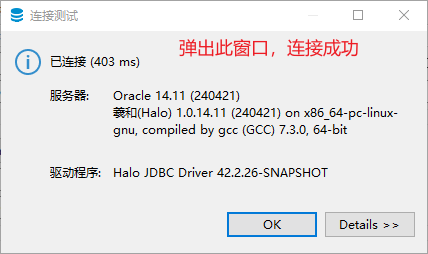
Connecting to a Halo Database
- Select the Halo connection
- Fill in the database server information
Common Features
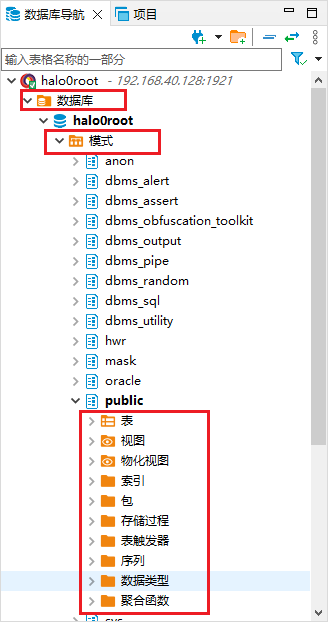
Viewable Objects
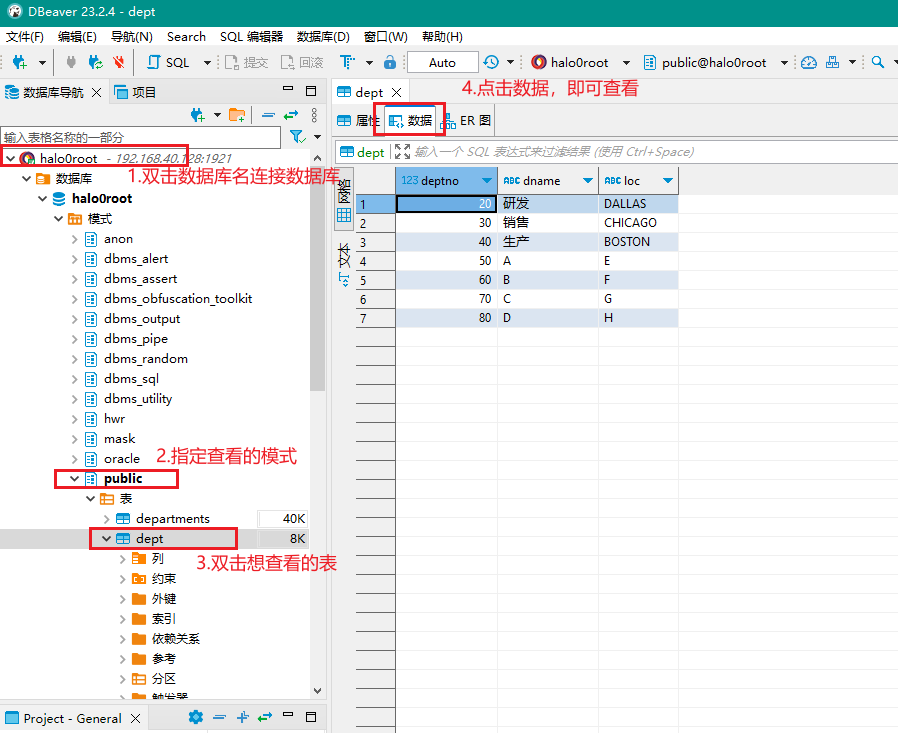
Viewing Table Data
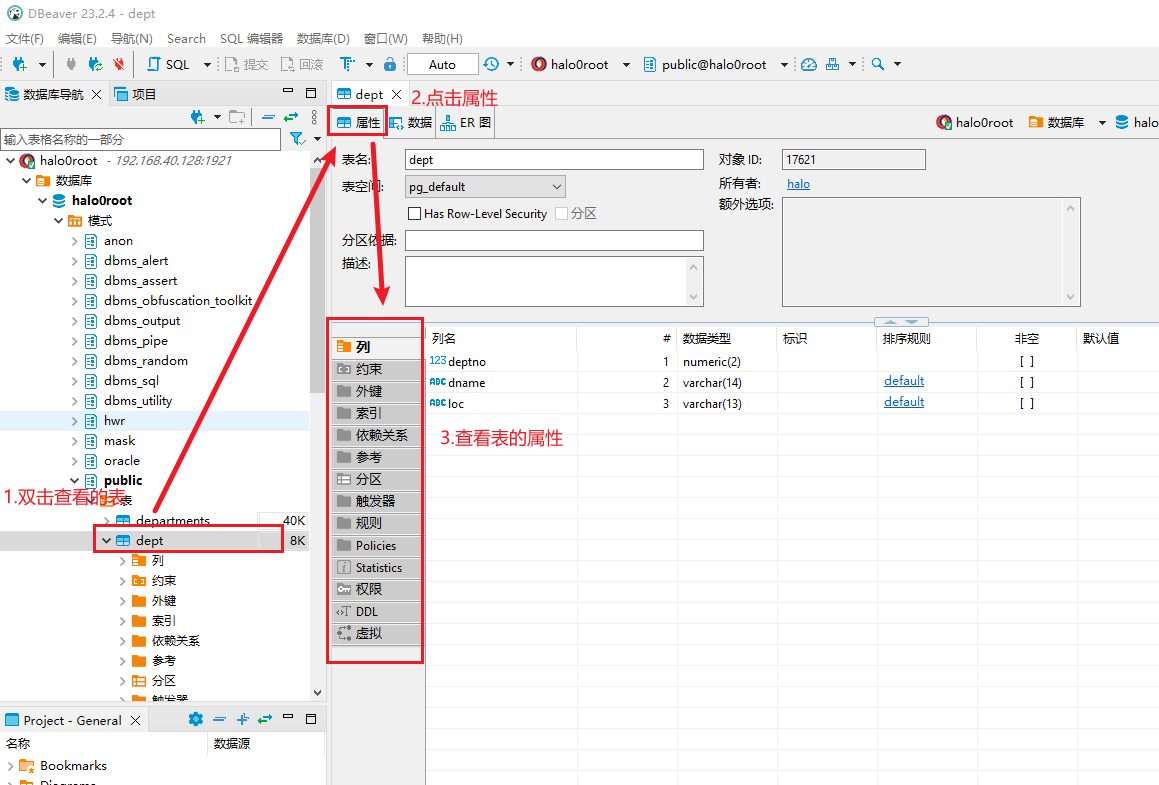
Viewing Table Properties
SQL Editor and Console
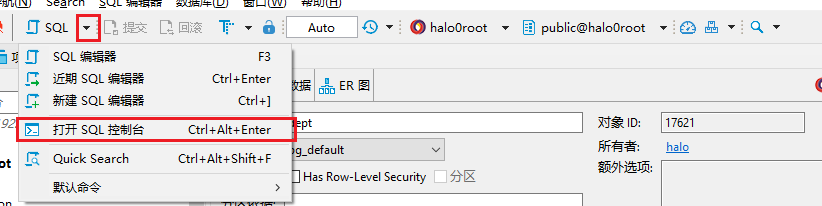
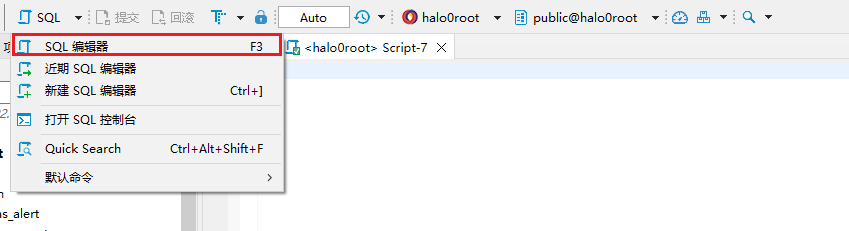
- Open the SQL editor interface
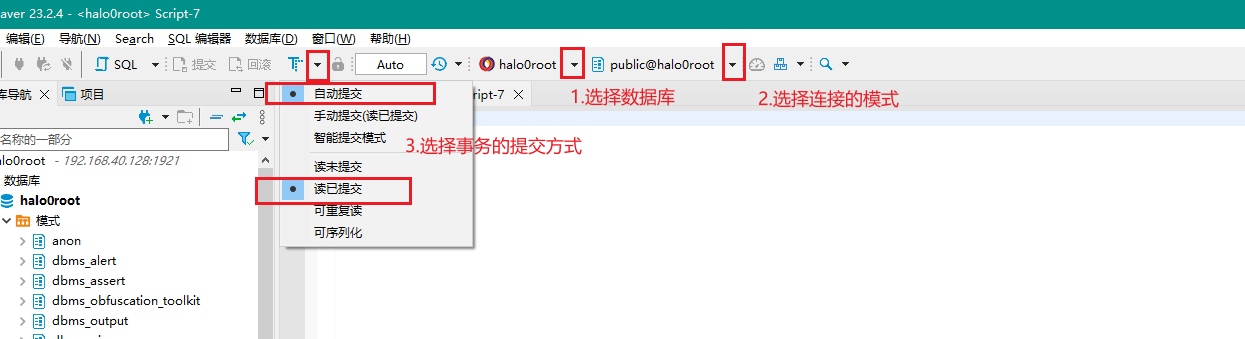
- Select the database and adjust the transaction commit method
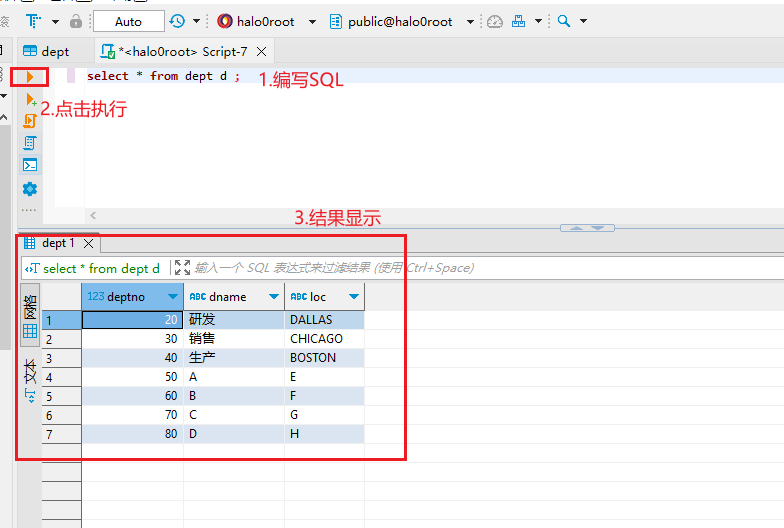
- Write and execute SQL statements